Change Your Switches, Not Your Keyboard
Experience the freedom of hot-swap technology. No soldering, no hassle.
Explore Hot-Swap Models Request Custom BuildWhy Go Hot-Swap?
Endless Experimentation
Dip your toes into the vast ocean of switch types. Try tactile, linear, and clicky switches to find your perfect match without commitment. Your typing experience, evolved.
Easy Maintenance
Accidentally spill coffee on a switch? Experience a faulty switch? Just pull it out and replace it in seconds. No need for a new board or costly repairs – just a quick swap.
Future-Proof Your Setup
As new, innovative switches are released and trends evolve, your hot-swap keyboard is ready for an instant upgrade. Stay at the forefront of mechanical keyboard technology without buying a new board.
Great for Beginners
New to the custom keyboard world? Hot-swap boards are the perfect entry point, allowing you to experiment with different feels without needing a soldering iron or advanced technical skills.
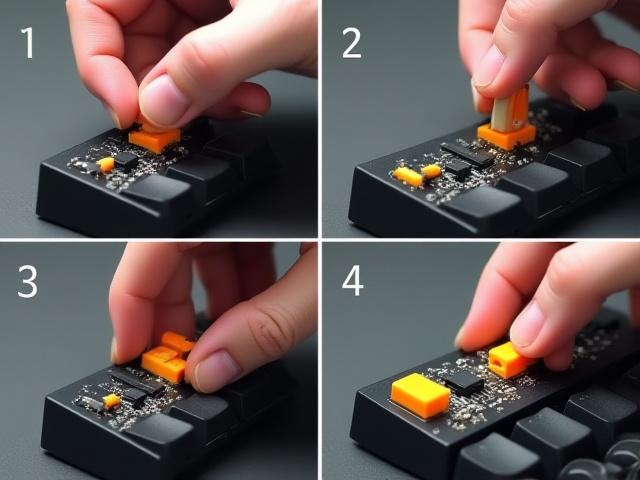
How to Swap Your Switches
-
1
Remove the Keycap
Gently use a keycap puller to lift the keycap straight off the switch stem. Slow and steady wins the race here to avoid damaging the stem.
-
2
Pull the Switch
With your switch puller, grip the switch from the top and bottom clips. Apply even pressure and pull straight up until the switch detaches from the hot-swap socket.
-
3
Align the New Switch
Carefully check that the metal pins on the bottom of your new switch are perfectly straight. Misaligned pins can bend and damage the socket. Line them up with the holes on the PCB.
-
4
Press the New Switch
Place the new switch into the aligned holes and press down firmly until you hear a satisfying click. This confirms it's seated correctly. Then, replace the keycap, and you're good to go!
Understanding Switch Compatibility
Ensuring your switches fit your hot-swap PCB is key to a seamless build. Let's clarify the common types:
3-Pin vs. 5-Pin Switches (MX-Style)
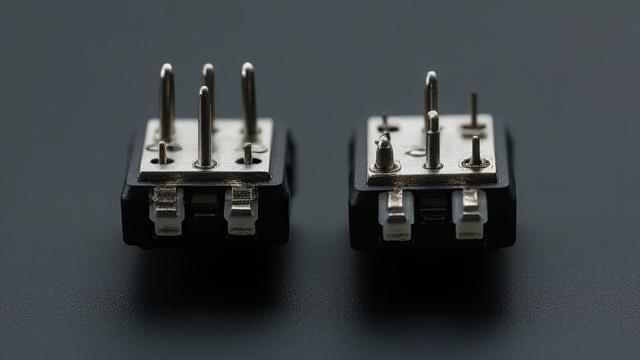
Mechanical key switches commonly come in two variants: 3-pin (plate-mount) and 5-pin (PCB-mount). 3-pin switches have two metal contacts and a central plastic stem. 5-pin switches add two extra plastic 'feet' for increased stability when mounted directly to the PCB without a plate.
Most modern hot-swap PCBs, especially those we offer, are designed with universal sockets that accommodate both 3-pin and 5-pin MX-style switches, providing maximum flexibility for your builds.
A Note on Optical Switches
It's important to note that optical switches (often found in some gaming keyboards) use a different hot-swap mechanism. These switches are not cross-compatible with standard mechanical hot-swap PCBs. Our offerings focus exclusively on the widely adopted mechanical MX-style hot-swap ecosystem.
Ready to explore your options?
Dive deeper into our extensive range of high-performance switches:
Browse SwitchesGet Your Hot-Swap Keyboard
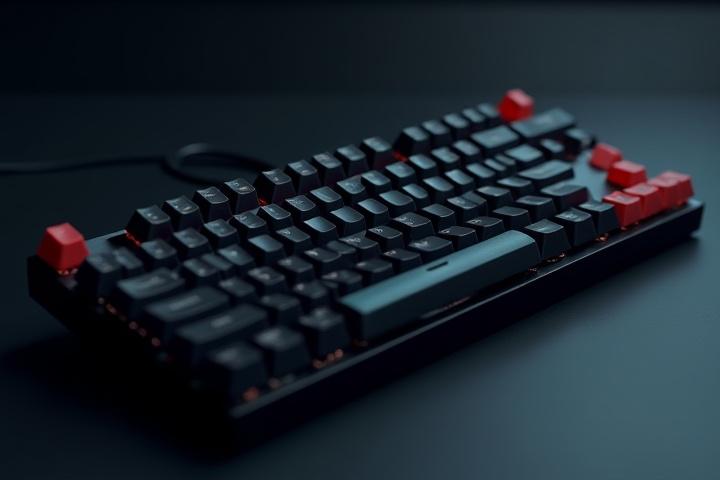
Ready-to-Ship Hot-Swap Boards
Discover our hand-picked selection of pre-built, high-quality hot-swap mechanical keyboards. These boards feature robust construction, premium keycaps, and are ready for you to install your favorite switches and start typing immediately. Perfect for instant gratification and reliable performance.
View Available Models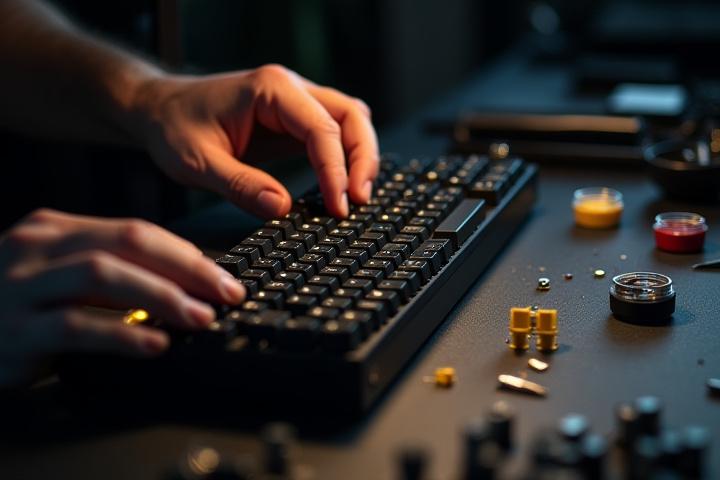
Custom Hot-Swap Build Service
Dreaming of a keyboard that's uniquely yours? From a high-end aluminum case with a hot-swap PCB to specific layouts and exotic finishes, David Wayne Cooper specializes in bringing your perfect hot-swap keyboard vision to life. Let's craft your ideal typing companion.
Start Your Custom Hot-Swap Build